

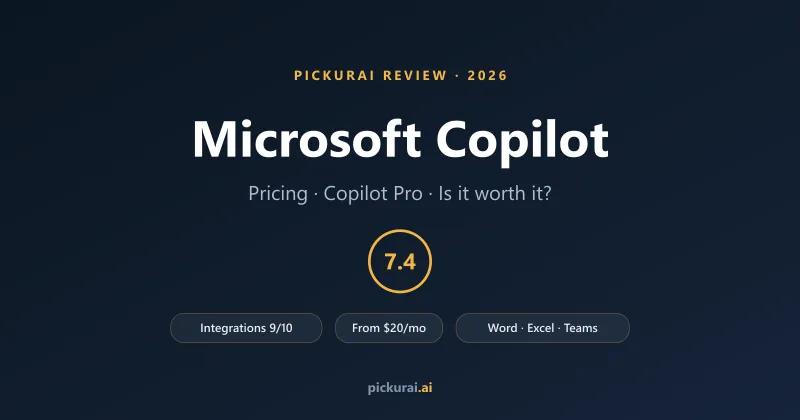
Microsoft Copilot is the AI assistant Microsoft has woven through its whole world — Windows, Edge, and, most importantly, the Microsoft 365 apps most offices live in: Word, Excel, PowerPoint, Outlook and Teams. It is not the coding tool (that's GitHub Copilot, a different product that happens to share the name). This Copilot is the one that drafts your email, recaps your meeting, and builds your slide deck.
The two questions everyone actually types into a search box are "is Microsoft Copilot free?" and "is it worth it?" Short answers: there is a genuinely useful free version, but the paid tiers are what put Copilot inside your Office apps; and it's worth paying for if — and mostly only if — you spend your working day in Microsoft 365. Below is the honest version, with the pricing untangled and Pickurai's 8-dimension score.
Key takeaways
- Free version: yes — a capable standalone assistant in Windows, Edge and the Copilot app. It just doesn't work inside your Office apps.
- Pricing: Copilot Pro is $20/user/mo (individuals); Microsoft 365 Copilot is ~$21/user/mo (business), on top of a Microsoft 365 plan; a $30 add-on covers enterprise.
- Best at: the Microsoft 365 integration — Outlook, Teams, Word, Excel, PowerPoint — with access to your own work content via Microsoft Graph.
- Pickurai score: 7.4/10 — standout Integrations (9/10) and Power (8/10); weakest on Free Tier (5/10) for in-app features.
- Skip it if: you just want a chatbot. The free tier, or a $20 ChatGPT/Claude plan, does that as well or better.
Is Microsoft Copilot Free?
Yes — and the free tier is better than people expect. In Windows, the Edge browser, the Copilot mobile and web apps, and Bing, you can chat with Microsoft Copilot at no cost and with no card: draft text, summarise pages, answer questions, and generate images. As a standalone assistant it's perfectly capable for everyday tasks.
What free doesn't get you is the part that makes Copilot special: the assistant working directly inside your desktop Office apps. Generating a first-draft deck in PowerPoint from a Word document, writing and explaining formulas in Excel, drafting a reply from the thread in Outlook, or asking Copilot to pull from your own files and emails — those live behind the paid plans. That split is exactly why the Free Tier scores a middling 5/10 in our framework: the chatbot is free, but the differentiated, in-app Copilot is not.
Microsoft Copilot Pricing in 2026
The pricing is genuinely confusing, so here's the untangled version. There are effectively three paid routes, and which one you want depends entirely on whether you're a person or a company.
| Plan | Price | What you get |
|---|---|---|
| Free | $0 | Standalone Copilot in Windows, Edge and the app: chat, drafting, summaries, images. No in-app Office Copilot. |
| Copilot Pro (individual) | $20/mo | Copilot inside desktop Word/Excel/PowerPoint/Outlook for personal & family 365 subscribers, plus priority model access. Being phased out for new buyers in 2026. |
| Microsoft 365 Copilot (business) | ~$21/user/mo | Full Copilot across the Office apps + Teams, Business Chat, agents, and your company data via Microsoft Graph. Requires a qualifying Microsoft 365 Business plan. |
| Enterprise add-on | $30/user/mo | The same Copilot for larger organisations with enterprise base licences, admin controls and data protection. |
Prices as of July 2026. Microsoft 365 Copilot has been running at a promotional $18/user/month on an annual commitment (through 30 September 2026), with a monthly-commitment option around $25.20; standalone Copilot Pro is being wound down for new individual subscribers, with existing subscribers supported until 1 August 2026. The business tiers require a separate Microsoft 365 licence, so budget the Copilot add-on plus your base plan. Always confirm current pricing on Microsoft's own page before you buy, and see the live Microsoft Copilot tool page for details.
Microsoft Copilot's Pickurai Score
Scored on Pickurai's 8-dimension framework. Green = strong (8–10), blue = good (7–8), yellow = fair (5–7), red = weak (0–4).
| Overall | 7.4/10 |
| Integrations (Microsoft 365) | 9/10 |
| Power (capability) | 8/10 |
| Ease of Use | 8/10 |
| Popularity | 8/10 |
| Value for Money | 7/10 |
| Privacy | 7/10 |
| Speed | 7/10 |
| Free Tier (in-app) | 5/10 |
What Microsoft Copilot Is Genuinely Good At
Microsoft 365 integration (9/10). This is the whole reason Copilot exists and its highest score by far. No other assistant is this deeply wired into the apps knowledge workers already use all day. In Outlook it drafts replies and summarises long threads; in Teams it transcribes and recaps meetings with action items, even ones you missed; in Word it drafts and rewrites; in Excel it turns plain-English questions into formulas, charts and trend analysis; in PowerPoint it builds a first-draft deck from a document. Crucially, through Microsoft Graph it can reason over your emails, files and chats — context a standalone chatbot simply doesn't have.
Capability (8/10). Copilot runs on current frontier models from OpenAI, so the underlying intelligence is strong — it's the same class of model you'd get from a top-tier chatbot, pointed at your work.
Ease of use (8/10). Because it appears right inside apps people already know, the learning curve is almost nothing. There's no new tool to adopt; the Copilot button is just there in the ribbon, and clicking it is self-explanatory for most tasks.
Enterprise data protection (Privacy 7/10). On the business and enterprise tiers, Microsoft commits that your prompts and company data aren't used to train the foundation models, and Copilot inherits your existing Microsoft 365 permissions — it only surfaces content a user already has access to. That's a meaningfully better privacy posture than a consumer chatbot, which is why it scores above most rivals here.
Where Microsoft Copilot Falls Short
The pricing maze and the hidden base cost. The single biggest friction isn't the headline number — it's that the business tiers require a qualifying Microsoft 365 subscription underneath. So the true cost is the Copilot add-on plus your 365 plan, and the tangle of Copilot Pro vs Microsoft 365 Copilot vs the enterprise add-on makes it genuinely hard to know what to buy. Budget for the all-in figure, not the sticker.
Free tier for in-app features (5/10). The free chatbot is good, but everything that makes Copilot differentiated — the in-Office assistance — is paywalled. If you're comparing "free AI tools," Copilot isn't the one to lean on for the features that actually set it apart.
You have to live in Microsoft 365 to get the value. Copilot's strength is entirely tied to the ecosystem. If your team runs on Google Workspace, Notion, Slack and the like, most of that 9/10 integration advantage evaporates and you're paying a premium for a chatbot you could get cheaper elsewhere.
Copilot Pro vs Microsoft 365 Copilot — Which One Do You Actually Want?
This is the question that trips most people up, so keep it simple. Copilot Pro ($20/month) is for a person — an individual or family with a personal Microsoft 365 subscription who wants Copilot in their own desktop Office apps. Microsoft 365 Copilot (~$21/user/month) is for a company — it adds Business/Work Chat, connects to your organisation's data, and brings agents, admin controls and enterprise data protection. If you're buying for yourself, Pro; if you're rolling it out to a team, Microsoft 365 Copilot. And note the direction of travel: Microsoft is phasing standalone Copilot Pro out for new individual subscribers in 2026, nudging everyone toward the Microsoft 365-attached plans.
Microsoft Copilot vs ChatGPT — The Comparison People Ask For
Almost everyone weighing Copilot is also eyeing a $20 ChatGPT subscription, and the honest split is this: Microsoft Copilot wins if your work lives in Microsoft 365 — its Outlook/Teams/Word/Excel integration and access to your own company data (Integrations 9/10) is something a general chatbot can't touch. ChatGPT wins as a pure assistant — bigger free tier, larger prompt and plugin ecosystem, and more raw versatility. In Pickurai's scoring the two actually tie at 7.4/10, arriving there from opposite directions: Copilot leans on integration and privacy, ChatGPT on popularity and free access. Choose by where you spend your day. For the wider assistant picture, see our ChatGPT vs Claude vs Gemini comparison.
Is Microsoft Copilot Worth It? The Verdict
Worth it if: you and your team already live in Microsoft 365. If Outlook, Teams, Word, Excel and PowerPoint are your working day, Copilot removes real friction — inbox triage, meeting recaps, first-draft decks, spreadsheet analysis — and does it with your own content in context. For a Microsoft-shop knowledge worker, the ~$21/user Microsoft 365 Copilot plan can pay for itself in reclaimed hours.
Not worth it if: you mainly want a chatbot, or your stack isn't Microsoft. The free Copilot handles casual AI use, and if you want a paid assistant, a $20 ChatGPT or Claude plan is more flexible and doesn't ride on a base subscription. Non-Microsoft teams get little of Copilot's signature advantage.
The bottom line: Microsoft Copilot is a genuinely strong, deeply integrated assistant held back from a higher score by a confusing pricing stack and a free tier that walls off its best features. If your work already runs on Microsoft 365, it's an easy recommendation and scores 7.4/10; if it doesn't, look elsewhere first. Still weighing it against other assistants? Pickurai's 6-question wizard matches you to the right AI in 30 seconds, and you can compare the numbers on the Microsoft Copilot and ChatGPT tool pages.