

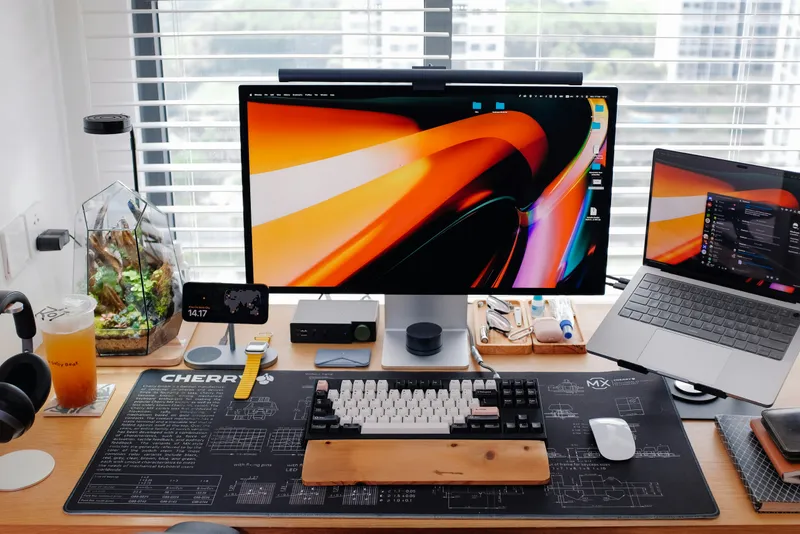
Let me be honest with you: a year ago, my main coding machine was a mid-range laptop I'd been nursing since 2021. It was fine for writing code. It was not fine for anything AI-adjacent — running local models was a joke, spinning up inference was painfully slow, and the fan noise every time I tried something ambitious was basically its way of sending a distress signal.
Things have changed. The way developers work has changed. Whether you're building with Claude Code and Claude's API, running local models like Mistral or Llama for privacy-sensitive tasks, fine-tuning something custom, or just coding all day with AI assistants pinging inference endpoints every few seconds — your hardware now matters in ways it simply didn't two years ago.
This guide is for people who want to stop fighting their machine and start building. I've broken it into four tiers — roughly $1,000, $2,000, $3,500, and no-budget-limit — with three picks at each level. All of these are available (or orderable) on Amazon.
What Specs Actually Matter for AI + Coding Work
Before we get to the picks, let's talk hardware. Most "best computer for AI" articles throw around spec numbers without explaining why they matter. Here's what actually moves the needle for this specific type of work:
GPU VRAM — the real bottleneck
If you want to run local AI models — anything from a 7B parameter model up to a 70B — VRAM is your most important constraint. Models load into GPU memory. If your GPU doesn't have enough VRAM, the model falls back to RAM (much slower) or simply refuses to load.
- 8GB VRAM: Can run 7B models comfortably. Fine for coding assistants like a local Mistral or Gemma. Starting to feel tight in 2026.
- 16GB VRAM: The sweet spot for most developers. Handles 13B models well, some quantized 30B models. This is where you want to be if you're serious.
- 24GB VRAM: Handles 30B+ models, fast inference, comfortable room for larger context. This is the tier where things stop feeling like a compromise.
- 48GB+ VRAM: Running large models locally, experimental fine-tuning, production-grade local inference. For teams or serious researchers.
RAM — more than you think
If your GPU VRAM runs out, your system falls back to system RAM for model layers. This is called CPU offloading and it works — just slowly. But even if you're not running local models, AI-assisted coding means your IDE, the model inference client, your browser with documentation, your terminal, and a dozen other things all run simultaneously. 32GB is a reasonable minimum. 64GB is comfortable. 128GB is for people who never want to think about it again.
CPU — cores over clock speed
For AI development specifically, you want cores, not just frequency. Preprocessing data, running the occasional CPU-bound inference task, compiling code, running tests in parallel — these all benefit from core count. AMD Ryzen 9 and Intel Core i9 are both solid; for workstation-class machines, AMD Threadripper and Intel Xeon open up much higher core counts.
Storage — fast NVMe, period
Model weights are large. A single 13B model in fp16 is around 26GB. Loading that from a slow HDD takes minutes. Loading from a fast NVMe SSD takes seconds. Get at least 1TB NVMe, ideally 2TB if you plan to collect a library of local models. Secondary HDDs for archiving are fine, but your primary drive should always be NVMe.
One more thing: are you using cloud APIs or running locally?
This is the question that should shape your purchase decision more than any benchmark. If you're primarily coding with Claude Code, using the Anthropic API, calling OpenAI, or routing everything through cloud inference — you don't actually need a powerful GPU. You need a fast CPU, plenty of RAM, a solid SSD, and a reliable internet connection. Your GPU can be modest.
If you want to run models locally for speed, privacy, cost control, or offline capability — then your GPU becomes the most important investment you'll make. If you're thinking of a dedicated server rather than a workstation you also code on, our on-premise AI server guide covers that from a different angle.
Keep this split in mind as you read through the tiers below. I'll flag which picks skew toward cloud-first workflows and which are built for local inference.
~ $1,000
The Entry Tier: Smart Coding, Cloud-First AI
Best for: developers who use Claude, ChatGPT, or other cloud APIs and want a capable machine without a big investment.
At this price point, you're making tradeoffs. The honest reality is that $1,000 doesn't buy you a machine that runs large language models locally at any useful speed. What it does buy you is a genuinely capable workstation for writing, running, testing, and deploying code — and using cloud AI APIs (like Claude, GPT-4o, Gemini) as your inference engine. For many developers, that's all they actually need.
The builds I recommend here prioritize a strong CPU, adequate RAM, and fast NVMe storage. You'll get a GPU in the mix too — more for display output and light acceleration than serious local inference — but your AI horsepower comes from the cloud.
Skytech Archangel Gaming PC Desktop
Best all-rounder under $1,000 · AMD Ryzen 7 + RTX 4060
Skytech has earned a solid reputation on Amazon for shipping competent, no-nonsense gaming PCs that happen to translate very well into AI development machines. The Ryzen 7 7700X is a powerhouse for compile-heavy workflows, the DDR5 memory is genuinely faster than what you'll find in similarly priced Intel builds, and the RTX 4060's 8GB of VRAM is enough to run 7B parameter models (Mistral 7B, Llama 3 8B, Gemma 7B) if you want to experiment locally. It won't blow you away with local inference, but for a developer who spends most of their time in VS Code with Claude Code, this is more than enough machine. The case is clean, the thermals are managed well, and Skytech's Amazon reviews are consistently reliable across configurations.
View on Amazon →CyberpowerPC Gamer Xtreme VR Desktop
Intel i7 variant · Solid reliability track record · Easy upgrades
CyberpowerPC is probably the most trusted pre-built gaming PC brand on Amazon for this price range, and for good reason — their build quality is consistent and the machines are designed with upgradeability in mind. The i7-13700F is a workhorse with 16 cores (8P + 8E) that handles parallel tasks like running test suites, Docker containers, and multiple code watchers simultaneously without flinching. If you end up wanting to upgrade the GPU to a 4070 or 4080 down the line, the case and PSU are designed to handle it. That upgrade path is actually one of the reasons to choose this over a more compact option — you're not buying a closed box, you're buying a platform. The RTX 4060 Ti has 8GB VRAM and slightly higher throughput than the standard 4060, which helps with local inference even if it won't run 30B models.
View on Amazon →Lenovo IdeaCentre 5i Gen 8 Tower
Business-grade reliability · Quieter operation · Great for remote/hybrid setups
If the gaming PC aesthetic isn't your thing — no RGB, no aggressive angles, no fan-forward design — the Lenovo IdeaCentre 5i is what you're looking for. It's a proper business tower that happens to have solid performance credentials. Lenovo's warranty and support network is genuinely better than most gaming PC brands, which matters when this is your primary work machine. The configurations available on Amazon land in a wide range, so look for the models with dedicated discrete GPUs if local AI work is even a passing interest. Where this really shines is as a cloud-first developer's machine: fast CPU, enough RAM, reliable storage, and zero drama. It doesn't make noise. It doesn't get hot. It just works.
View on Amazon →~ $2,000
The Mid Tier: Local Models, Real Horsepower
Best for: developers who want to run local models seriously, fine-tune small models, or build AI-powered applications without cloud dependency.
This is where the machines start feeling genuinely capable for AI development, not just AI-adjacent coding. At $2,000, you can get into 16GB VRAM territory (RTX 4080), which changes what's possible with local inference — you're now running 13B models at full precision, 30B models in quantized form, and doing it at speeds that actually feel useful rather than academic.
The picks here split between pre-built consumer/gaming systems with strong GPUs and entry-level professional workstations. The right choice depends on whether you want raw AI throughput or a more balanced, expandable platform.
Skytech Chronos / Prism II Gaming PC — RTX 4080 Config
Best GPU-per-dollar at this tier · 16GB VRAM · Serious local inference
The RTX 4080 is a jump that actually matters for AI work. The 16GB of GDDR6X VRAM is what lets you load a 13B model entirely into GPU memory and actually use it at a speed that doesn't kill your momentum. Skytech's higher-end configurations in this tier pair the 4080 with a Ryzen 9 7900X or 7950X, which gives you serious multi-core performance alongside that GPU firepower. In practice, this means you can have a local Ollama instance running a 13B model in the background, VS Code with Claude Code in the foreground, a Node.js dev server, and a Docker container — and none of them feel like they're competing for air. If I had to pick one machine at this price tier for a developer who wants to actually run local AI without cloud dependency, this is it.
View on Amazon →Dell Precision 3680 Tower Workstation
Professional workstation · ISV certified · Enterprise build quality
Here's the thing about gaming PCs and AI work: they're great, until something goes wrong and you need support. Dell's Precision line is where you go when you need the machine to just be reliable, long-term, without surprises. The Precision 3680 is Dell's entry workstation — it uses ECC RAM (error-correcting memory, which catches and corrects data errors on the fly), it's certified by ISVs like Autodesk and Siemens, and it's built to run 24/7 under sustained load. The NVIDIA RTX 4000 Ada Generation GPU that ships in some configurations gives you 20GB of VRAM in a lower-power, professional-grade package — it's not as fast as a 4080 for gaming, but it's more efficient and more stable under sustained inference loads. If you're building AI-powered products professionally and need a machine that won't flake on you, this is the pick.
View on Amazon →Lenovo ThinkStation P3 Tower Workstation
Lenovo's entry workstation · Exceptional expandability · Quiet operation
Lenovo's ThinkStation line doesn't get the same attention as Dell Precision, but it absolutely should. The P3 Tower is their entry into proper workstation territory — full-size ATX tower, tool-free chassis, excellent airflow, and a component selection that's designed for longevity rather than headline benchmarks. The base configs often ship with a modest GPU, which is where the upgrade story becomes interesting: drop in a second-hand RTX 4080 or a professional NVIDIA card and you have a very capable AI development machine for less total cost than a pre-configured equivalent. If you're the type of developer who likes to control your own hardware and plan ahead, the ThinkStation P3 Tower is an excellent foundation to build on.
View on Amazon →~ $3,500
The Pro Tier: No Meaningful Compromises
Best for: AI engineers, researchers, and developers building serious AI-powered products who need to run large models locally with professional reliability.
At $3,500, the machines in this tier stop feeling like "pretty good" and start feeling like genuine tools. You're looking at 24GB VRAM (RTX 4090), 64GB+ of system RAM, high-core-count CPUs, and workstation-grade build quality. These are machines where the bottleneck shifts from hardware to your own imagination.
The RTX 4090 specifically is worth calling out: it remains the best consumer GPU for local AI inference in 2026. 24GB of GDDR6X VRAM at extremely high bandwidth means you can run 30B models in 4-bit quantization comfortably, 13B models at full precision, and even start pushing 65B+ models with some CPU offloading. For most AI developers, this is the ceiling they'll never need to breach.
ASUS ProArt Station PD500TE
Creator / AI workstation · RTX 4090 capable · Silent under load
ASUS built the ProArt Station line specifically for professional creators and AI practitioners, and it shows. This isn't a gaming PC with a workstation sticker slapped on — it's thermally engineered to handle sustained GPU loads without thermal throttling, which matters enormously for AI inference that runs continuously. The i9-13900K gives you 24 cores with high peak and sustained frequencies, the 64GB of DDR5 means model offloading (when VRAM isn't enough) is at least fast, and the RTX 4090's 24GB is the sweet spot for serious local AI in 2026. ASUS also backs this with a proper warranty. If you're going to invest $3,500 in a machine and expect it to be your daily AI development workhorse for the next three to four years, this is one of the best-rounded options available on Amazon right now.
View on Amazon →HP Z4 G5 Workstation (Entry Configuration)
HP's professional flagship entry · Xeon or Core i9 · Legendary build quality
HP's Z series workstations have been the gold standard in professional computing for decades for a reason: they're engineered to last, they're backed by enterprise-grade support, and they support hardware configurations that consumer systems simply can't match. The Z4 G5 supports ECC RAM up to 128GB, meaning as your AI workloads grow, the machine grows with you — no need to throw away and replace, just expand. The Xeon W processor option gives you certified reliability for sustained compute tasks, which matters when you're running inference servers or training loops that run for hours. This is the machine you buy when you're treating AI development as a profession, not an experiment. Entry Z4 G5 configs land under $3,500; bump the GPU to a 4090 and you're solidly in this tier's territory.
View on Amazon →Lenovo ThinkStation P5 Tower
Xeon W-2400 platform · Up to 4TB RAM support · ISV certified
The ThinkStation P5 is where Lenovo's engineering team clearly stopped worrying about the consumer market and built something for people who are serious. The Xeon W-2400 series processors in this platform support up to 2TB of ECC RAM — meaning even the most absurdly large model weights can theoretically live in system RAM when VRAM isn't enough. For AI researchers running unconventional experiments, this headroom is genuinely valuable. The ISV certifications cover most major AI development frameworks, so you're not in uncharted territory from a driver or compatibility standpoint. This is a machine that earns its cost over a 4-5 year lifespan — the hardware will remain relevant long after consumer options have started to feel dated.
View on Amazon →No Limit
The Unrestricted Tier: When Cost Is Not the Question
Best for: AI researchers, ML engineers, teams building LLM-powered products, or anyone who refuses to be bottlenecked by hardware ever again.
I want to be direct with you: most developers don't need what's in this tier. If you're using cloud AI APIs to build products, this is overkill. If you occasionally want to run local models for fun or privacy, the $3,500 tier is more than enough.
But if you're training models, running production inference locally, working with multi-modal AI at scale, or doing research that requires running 70B+ parameter models without quantization — this is where you look. These machines are investments measured in years, not purchases you revisit annually.
HP Z8 Fury G5 Workstation (Dual CPU + Dual GPU config)
HP's flagship · Dual Xeon capable · Two GPU slots · Practically unlimited RAM
The Z8 Fury G5 is HP's most extreme workstation, and it's built for exactly the kind of work we're talking about. With two GPU slots capable of hosting NVIDIA RTX 6000 Ada cards (48GB VRAM each), you have 96GB of combined GPU memory available — enough to run 70B models at full precision without a single compromise. The dual Xeon W9 configuration gives you over 60 CPU cores for data preprocessing, inference management, and everything running in parallel. This is the machine you build a small inference server around: plug it in, run Ollama or vLLM, and you have a local inference endpoint that rivals many cloud API responses for throughput. HP sells various configurations on Amazon through its business store, and enterprise support contracts are available. This is a multi-year infrastructure investment, not a workstation purchase.
View on Amazon →Dell Precision 7960 Tower
Dell's flagship workstation · Dual Xeon W · Up to 4TB ECC RAM · Triple GPU support
If the HP Z8 Fury G5 is a tank, the Dell Precision 7960 Tower is an armored carrier. Three GPU slots means you can run three RTX 6000 Ada cards simultaneously — 144GB of combined VRAM — which puts GPT-4 class model sizes within reach of a local machine. Dell supports this with up to 4TB of ECC RAM, their XL chassis has thermal management that handles sustained three-GPU load, and the Xeon W9-3595X is one of the highest-performance workstation CPUs ever released. This isn't a consumer play — Dell's business team sells these on Amazon and through direct channels with proper enterprise support agreements. If you're building an internal AI inference platform for a startup or small company and want to own your infrastructure rather than paying cloud bills indefinitely, the unit economics on something like this are worth running properly.
View on Amazon →Apple Mac Studio M4 Ultra
The unexpected contender · Unified memory architecture · Exceptional performance-per-watt
This one surprises people, so let me explain. The Mac Studio M4 Ultra uses Apple's unified memory architecture, which means the CPU and GPU share the same physical memory pool. The consequence for AI work: a 192GB configuration gives you 192GB of high-bandwidth memory available to the GPU for model inference — vastly more "effective VRAM" than any discrete GPU you can buy at any price. Running a 70B model? No problem. Running a 70B model at reasonable speed? Actually yes — because Apple's Metal acceleration for ML frameworks is mature and the memory bandwidth is enormous. The tradeoffs are real: you can't swap in a new GPU, macOS has ecosystem limitations for some ML tools (though PyTorch, MLX, and Ollama all work well), and you're locked into Apple's upgrade cycle. But for a developer who lives on Mac and wants the smoothest possible local AI experience without a room full of server hardware, the Mac Studio M4 Ultra is genuinely one of the best AI development machines money can buy — and it's on Amazon.
View on Amazon →Before You Buy: Three Questions Worth Asking Yourself
I've laid out a lot of options and I want to leave you with something more useful than just "go buy the most expensive thing you can afford."
1. Are you actually running models locally, or just building with AI APIs?
This is the most important question and most people don't give it an honest answer. If you use Claude Code, hit the Anthropic API, use GPT-4, or work with cloud inference — your GPU is largely irrelevant. Spend your money on a fast CPU, lots of RAM, a huge NVMe, and a good display. Save the GPU budget for later, when you actually have a concrete local inference need.
2. Do you need it portable or is this a desk machine?
This guide is entirely about desktops/towers. If you need portability, the calculus changes completely — laptop GPUs are slower, thermals are compressed, and RAM is limited. An AI-capable laptop is a different article entirely. If you're building a permanent workstation at a desk, towers give you dramatically more performance per dollar, better cooling, and actual upgradeability.
3. What's the upgrade path?
The best machine is often not the one with the best specs today, but the one that can grow with you. The $1,000 CyberpowerPC picks have full-size ATX motherboards and standard PSUs — you can drop in a better GPU in two years. The professional workstations at $2,000-$3,500 have ECC RAM slots that scale to 128GB+ and multiple PCIe lanes. Before you buy, check: can you upgrade the RAM? Can you add a second drive? Can you swap the GPU? If the answer to all three is no, you're buying a disposable machine, not a platform.
The Bottom Line
If I had to sum up four tiers in four sentences:
$1,000: A capable developer machine for cloud-first AI work. Get a Ryzen 7 or i7, 32GB RAM, 1TB NVMe, and an RTX 4060. You'll be productive.
$2,000: The tier where local AI becomes genuinely useful. An RTX 4080 (16GB VRAM) changes what's possible. A Dell Precision or Lenovo ThinkStation adds professional durability on top.
$3,500: RTX 4090 territory. 24GB VRAM means most open-source models run comfortably. This is the ceiling for 95% of AI developers. Don't spend more unless you have a specific reason to.
No limit: You're building infrastructure, not buying a workstation. Two professional GPUs, Xeon processors, ECC RAM by the hundredweight. Know exactly what you're solving before you write this check.
Whatever tier you land in — take your time with the choice. The machine you code on every day is one of the highest-leverage investments you'll make. Get it right.