

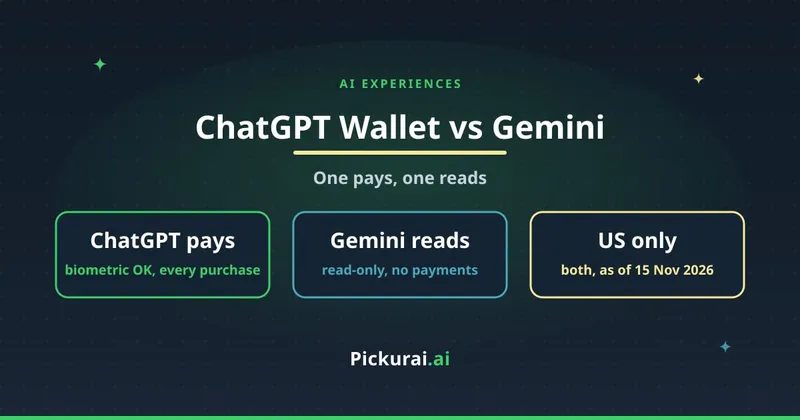
On Friday 13 November, OpenAI and Google both shipped an "AI wallet". The headlines made them sound like the same thing. They aren't. ChatGPT Wallet lets your dot, the agent inside ChatGPT, pay for things with your credit card after you approve each purchase. Gemini's new Google Wallet connection lets Gemini read your spending and answer questions about it. It can't pay for anything.
I live in Spain and I'm not on ChatGPT Pro, so I can't use either of them today. Both are US-only. I haven't tested them, and nothing below is a hands-on result. What I did do is read the four official pages line by line (OpenAI's announcement, OpenAI's Help Center article, Google's blog post and the coverage that quoted it) and put the two side by side, because almost nobody has. Everything here is what those pages said on 15 November 2026.
Short version: ChatGPT Wallet is an agent that can spend your money, one approved purchase at a time, and only if you're a ChatGPT Pro subscriber in the US with a US credit card. Gemini with Google Wallet is a read-only money assistant, open to every Gemini app user in the US. If you want help understanding where your money goes, the Gemini one is the safer first step. If you want an agent to do the buying, ChatGPT Wallet is the only one of the two that can, and the Help Center's fine print is worth reading before your first purchase.
Side by side
| Question | ChatGPT Wallet | Gemini + Google Wallet |
|---|---|---|
| What it does | Your dot completes purchases for you, charged to a saved card. | Gemini reads your Wallet and linked accounts to chart spending, find subscriptions and suggest budgets. |
| Can it move money? | Yes, after you approve each purchase. | No. Google says Gemini "can't move, manage, or invest your money". |
| Who can use it | ChatGPT Pro subscribers in the US, 18 or older, with a US billing address. Rolling out gradually, so some eligible users don't have it yet. | All Gemini app users in the US, on web, Android and iOS. |
| Where it works | Only in conversations with a dot. Not in Chat, Work or standalone Codex threads. | In any Gemini chat, by tagging @Google Wallet once the connection is on. |
| Cards and accounts | Eligible US-issued American Express, Chase, Mastercard and Visa credit cards. No debit cards, no virtual cards at launch. Chase: primary cardholder only. | Your Google Wallet, plus banks and credit cards you choose to link through Plaid. |
| Approval | Every purchase: review merchant, items, total and card, then Face ID, Touch ID or a fingerprint scan on a supported device. | Nothing to approve per question. You opt in once, under Connected Apps in Personal Intelligence settings, and can switch it off any time. |
| What the shop sees | A payment token (a stand-in card number, code and expiry), not your real card details. | No shop is involved. Gemini sees your transactions. |
The first two rows are the whole story. One product is built to act, the other is built to look. The rest of the table follows from that: the one that acts has a narrow audience, a biometric check on every purchase and a long Help Center page about what to do when things go wrong. The one that looks is available to all Gemini app users in the U.S. and asks you to opt in once.
How a ChatGPT Wallet purchase works, step by step
This is the flow from OpenAI's Help Center, in order:
- Set up a dot. Wallet only lives in dot conversations.
- Add a card, either by asking your dot ("Help me add a card to Wallet") or from Settings > Wallet. The card details go into a secure form, never into the chat. Your bank may ask you to verify the card with a code or in its app. Chase cards are approved in the Chase mobile app.
- Shop in the conversation. OpenAI's examples are "Help me find a new sweater" and "Book me a hotel for my trip to Chicago next weekend".
- Review the purchase request: merchant, items, total, selected card, and any shipping or recurring-payment terms.
- Approve with biometrics. If your current device can't do it, you follow a link or QR code to a supported device signed in to the same account. If your laptop lid is closed, you open it or approve on your phone.
- The dot finishes checkout with a virtual card number tied to your real card, and reports the result.
OpenAI says you keep your card's rewards and its protections for eligible disputes, for example when an item arrives defective. The shop stays the shop: it handles pricing, delivery, returns and customer service, and you contact it directly for any of those.
Saving a card and approving a purchase are separate steps. Adding a card doesn't authorise anything on its own.
The fine print most launch posts skipped
The announcement is about trust. The Help Center is about what happens when a purchase goes sideways. Three lines in it are worth knowing before your first purchase.
"Ready to check out" is not an order. The Help Center says it "means your approval is complete. It does not confirm that the merchant has placed your order." If the result is unclear, or the conversation freezes, or checkout fails but a pending charge shows up, OpenAI tells you to look for a confirmation from the shop and contact the shop before trying again. The risk it's describing is obvious: retry too fast and you can end up paying twice.
Recurring payments keep going without the dot. If you approve a subscription or any continuous payment plan, "the merchant may store the payment credential and charge it again under the terms you agreed to." Cancelling those charges is between you and the merchant. Removing the card from Wallet doesn't cancel existing orders or recurring charges either.
Not every shop will work. OpenAI admits some sites may block agent purchases without meaning to, and that shops' fraud systems may flag legitimate agent purchases and decline or cancel them. It has published a playbook for businesses and is working with fraud-prevention and payment companies, Stripe and Adyen among them, to fix that. For you, the practical point is the same as above: if a purchase fails, check for an order confirmation before paying the shop another way.
One thing I couldn't confirm: whether Wallet charges any fee. Neither the announcement nor the Help Center mentions one, so I'm not going to say it's free. Check your card statement after the first purchase.
And one thing that's coming but isn't here: OpenAI says it expects to let you delegate purchases entirely, within limits you set (spending caps, categories, time periods). Today, every purchase still needs your face or your fingerprint. That's the part I'd want to keep.
What Gemini with Google Wallet actually does
Google's post adds Google Wallet to Personal Intelligence, the Gemini feature that already pulls from Gmail, Photos, YouTube and Search to tailor answers. You switch it on under Connected Apps in Personal Intelligence settings (9to5Google points to Customize > Connectors), then tag @Google Wallet in a chat. If you want more than what's in Wallet itself, you can link bank and credit card accounts through Plaid, a third-party service that connects financial accounts to apps.
Google's three examples:
- Spending charts: ask it to review last quarter so you can save $1,000 over the next three months, and it draws cash-flow and budget charts in the chat.
- Forgotten subscriptions: it finds recurring charges across linked accounts and flags the ones that went up in price this year.
- Holiday budget: it looks at last year's gift and travel spending and suggests a budget for this year.
Access is read-only. That doesn't make it free of risk: you're giving an AI assistant, and Plaid if you link banks, a full view of where your money goes. That's a privacy decision, not a payments one. Google says the connection is off by default and you can turn it off at any time.
Before you approve any agent purchase
This is my own checklist, built from the Help Center's warnings. I haven't run it on a real purchase.
- Read the merchant name. Is it the shop you meant, or a reseller the agent found? If you don't recognise or trust the seller, decline.
- Check the total, not the item price. Shipping, taxes and add-ons live in the total.
- Look for recurring terms. If the request mentions a plan, a membership or "continuous" payments, you're approving future charges, not one.
- Check which card is selected. Wallet cards are separate from cards saved on the shop's own website.
- After approving, wait for the shop's confirmation (email or order page) before believing the order exists.
- If anything is unclear, don't retry. Check the shop's order status and your card's pending charges first.
- Know who to call. Order problems: the shop. Declined, pending or unrecognised charges: your card issuer. Wallet errors or a purchase different from what you approved: OpenAI Support.
And if you're not in the US?
Neither product is available outside the US today. OpenAI says it will "expand availability" after learning from early use, without dates or countries. Google's post only covers the US. I found no official word on Europe, and I'm not going to guess how EU payment rules would apply to an agent paying on your behalf.
For now, from Spain, the honest answer is: neither. If what you really want is the Gemini side, knowing where your money goes and which subscriptions crept up, you don't need an AI for that. Your bank's app and an afternoon with last year's statements will find most of it. I wrote about treating AI plans like any other expense in smart AI plan management, and added up what a whole project cost me in the real cost of building a project with AI. Both are worth a read before upgrading to Pro just to try a wallet.
Which one I'd turn on first
If I were in the US, I'd connect Gemini to Google Wallet first. Read-only, free with the app, easy to switch off, and the subscription finder alone could pay for the time it takes. I'd only try ChatGPT Wallet if I were already paying for Pro for other reasons, and I'd start with one small purchase from a shop I know, to see the whole flow end to end before trusting it with a hotel booking.
If you're trying to work out which AI subscription is worth paying for in the first place, our form asks six questions and gives you a short list.